Module 10 · Complete, test and operate the application
10.2 The whole application, as six users
Walk through the finished Caretaker as Alice, Bob, Carol, Dave, Nora and Ravi, compare each screen with the access matrix, and read the complete test suite as a specification.
Starting point
Every feature, every policy and 131 tests are in place. You have mostly seen the application one lesson at a time.
Outcome
A complete tour with real screenshots from your own build, and a test report you can read as the specification of who may do what. No code changes.
The problem
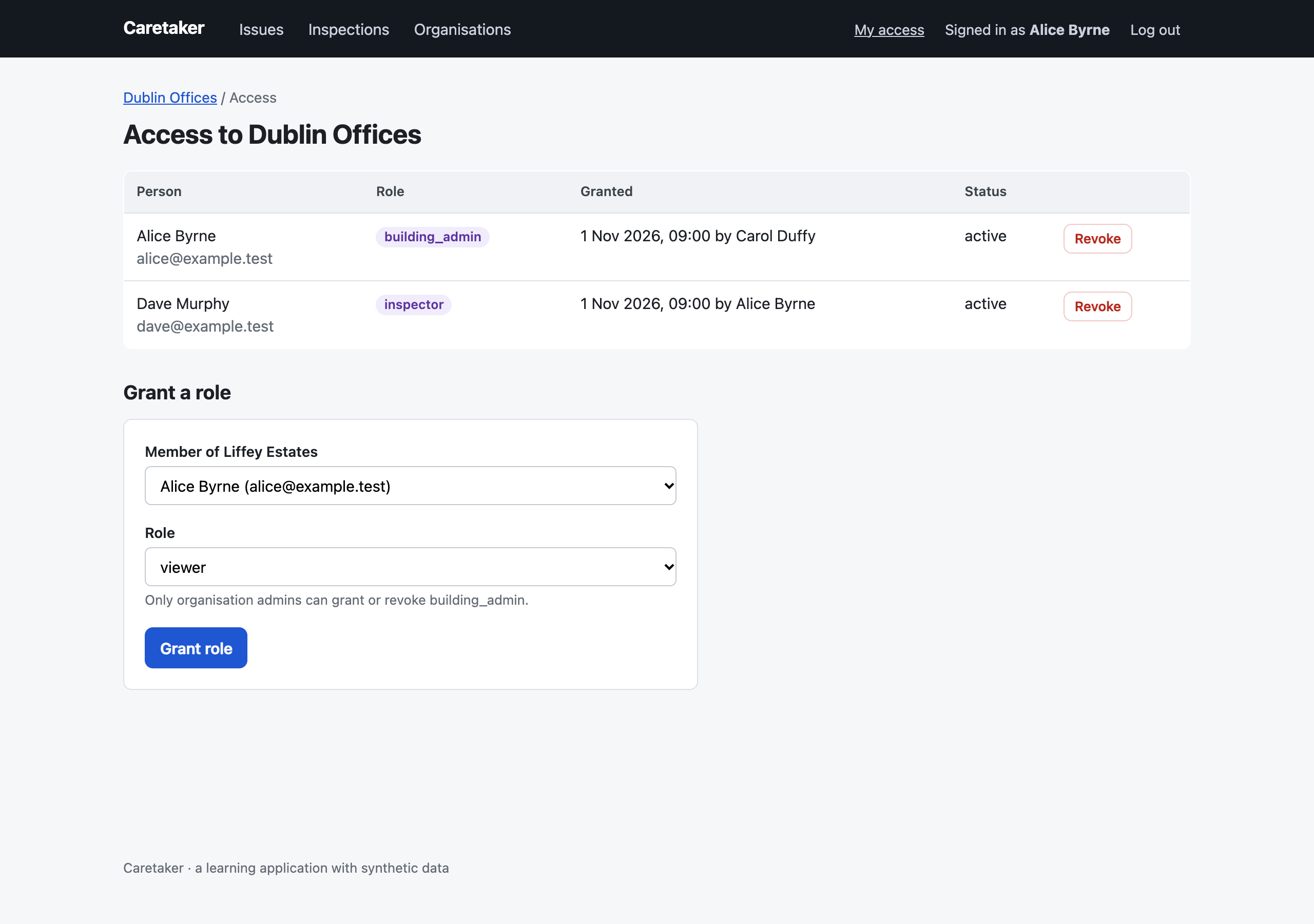
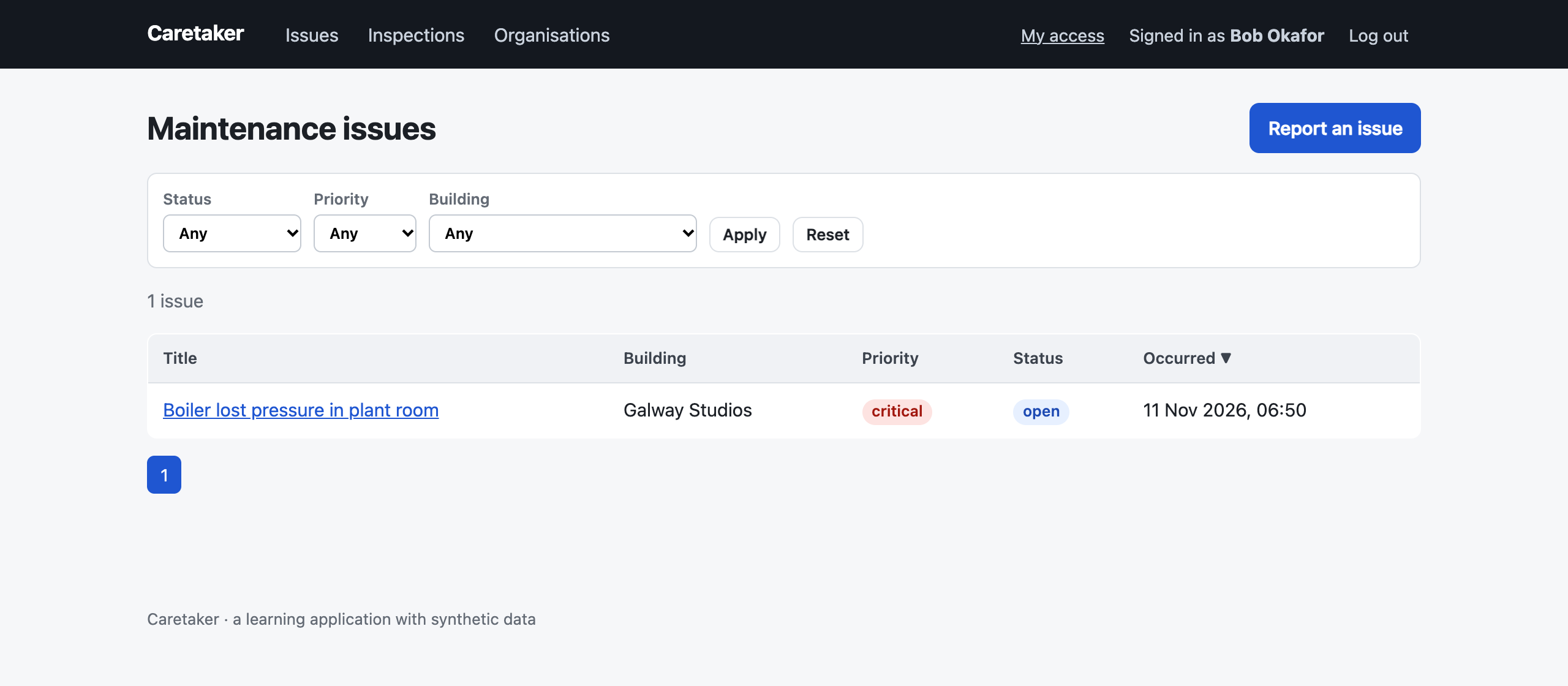
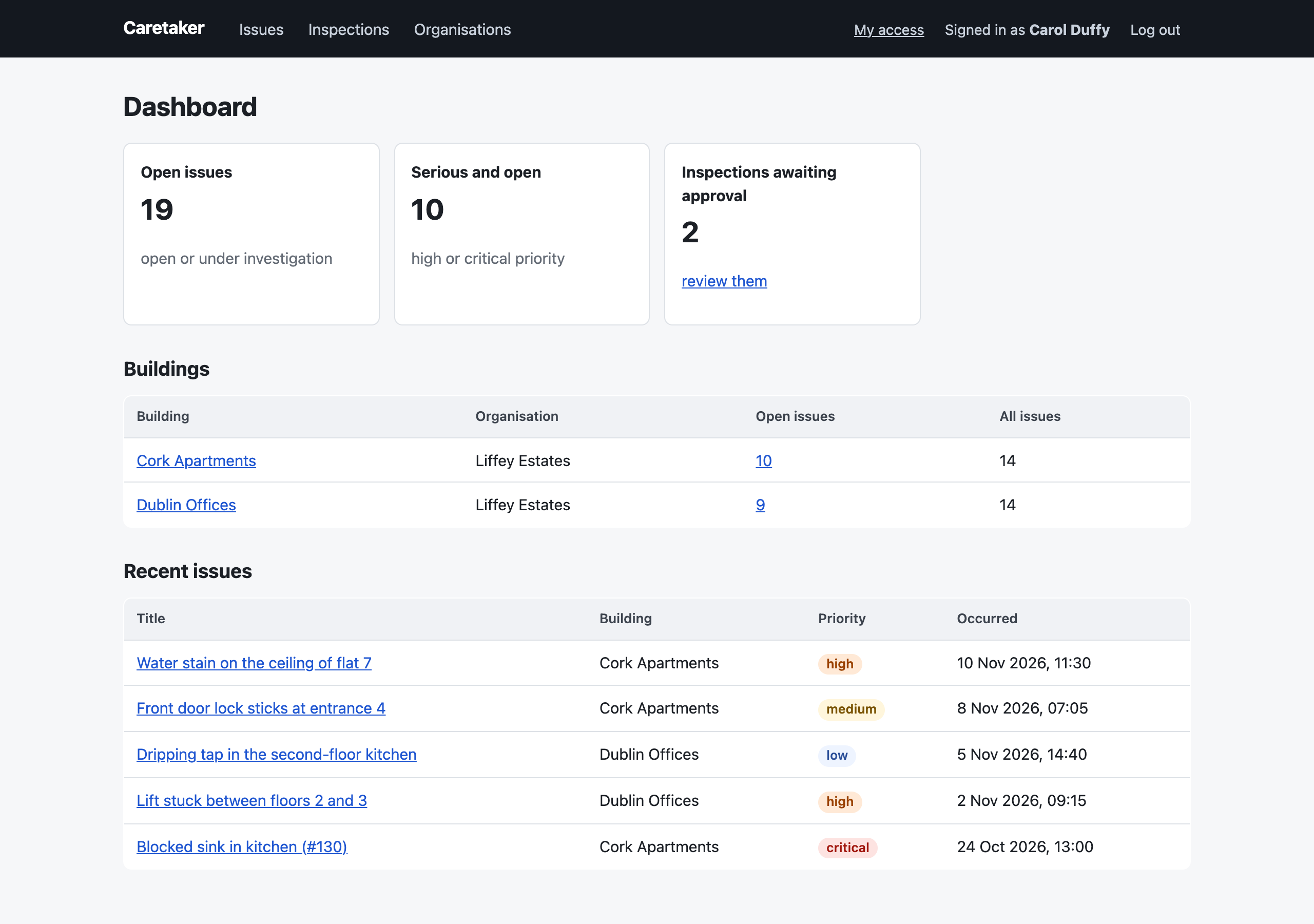
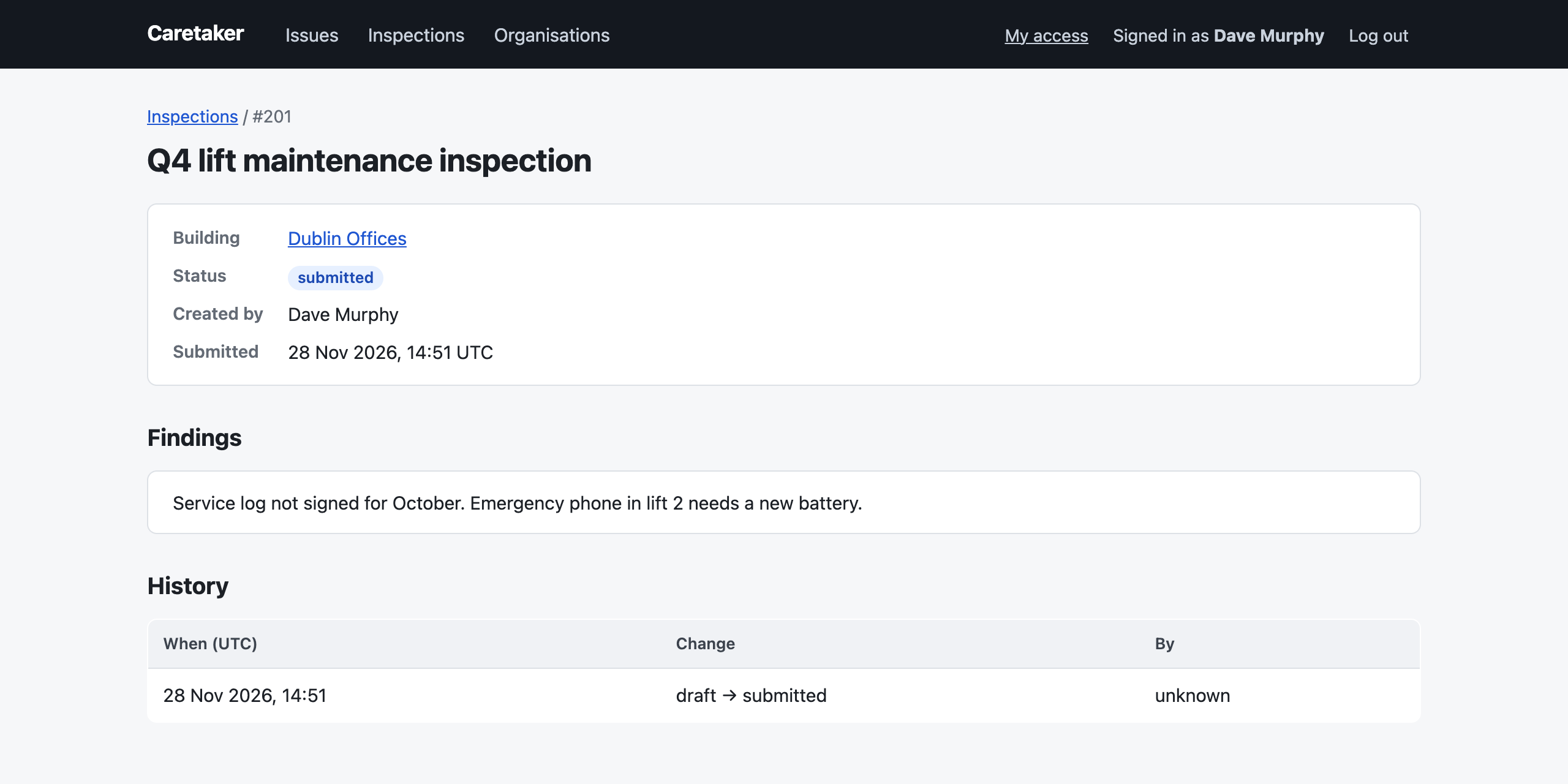
Unit by unit, everything passes. But users meet the whole application at once: a dashboard, a list, a page with some buttons and not others. The last check before calling it finished is to look at it as each person in the scenario, and to make sure that what each person sees matches what the matrix says they may do.
Build it
Start from the seeded scenario, so your screens match these:
npm run db:reset
> caretaker@1.0.0 db:reset
> node --env-file=.env scripts/reset.js
database reset: schema dropped, migrations applied, scenario seedednpm run dev
> caretaker@1.0.0 dev
> node --env-file=.env --watch src/server.js
Caretaker listening on http://localhost:3000Alice: admin at building 10, viewer at building 20
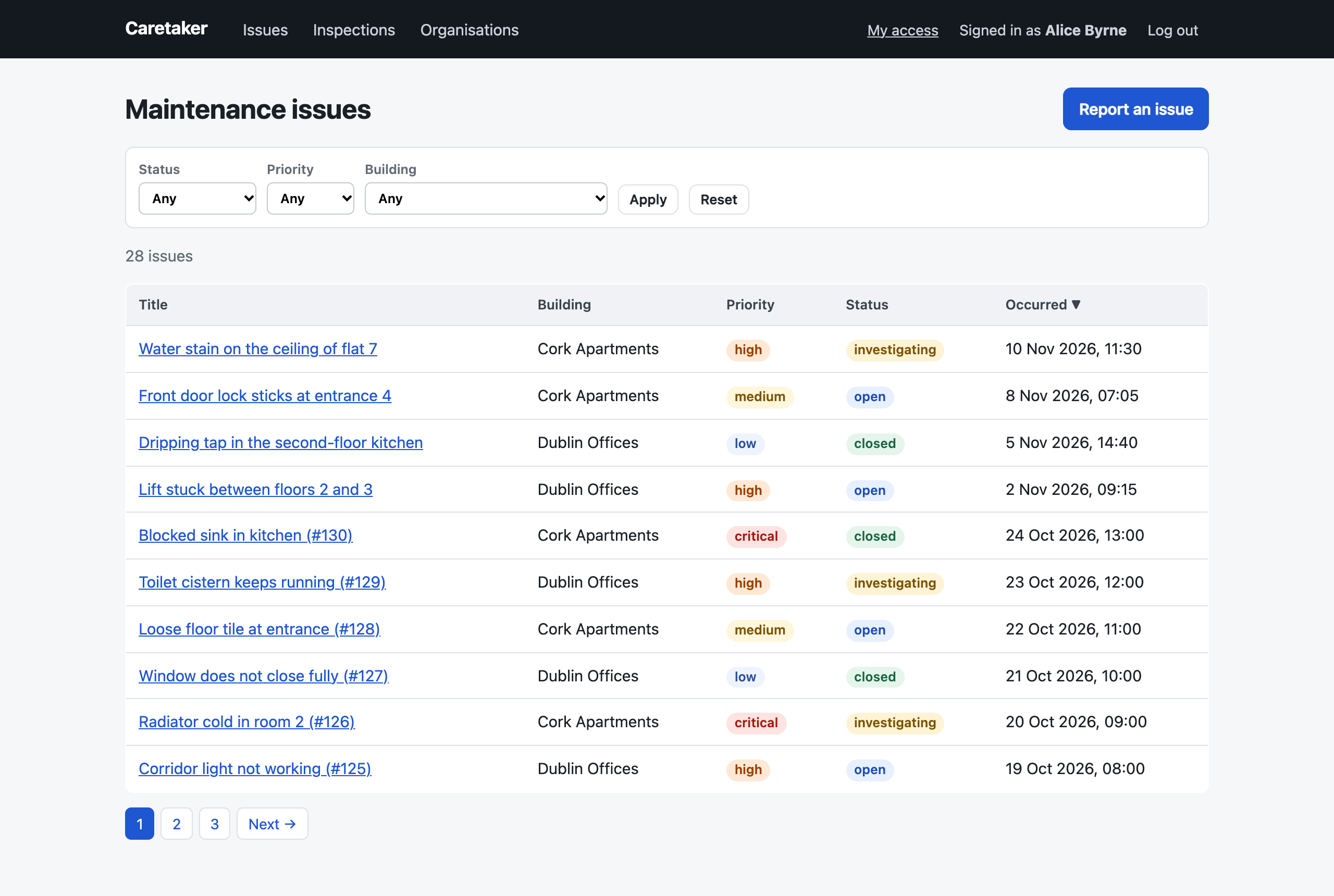
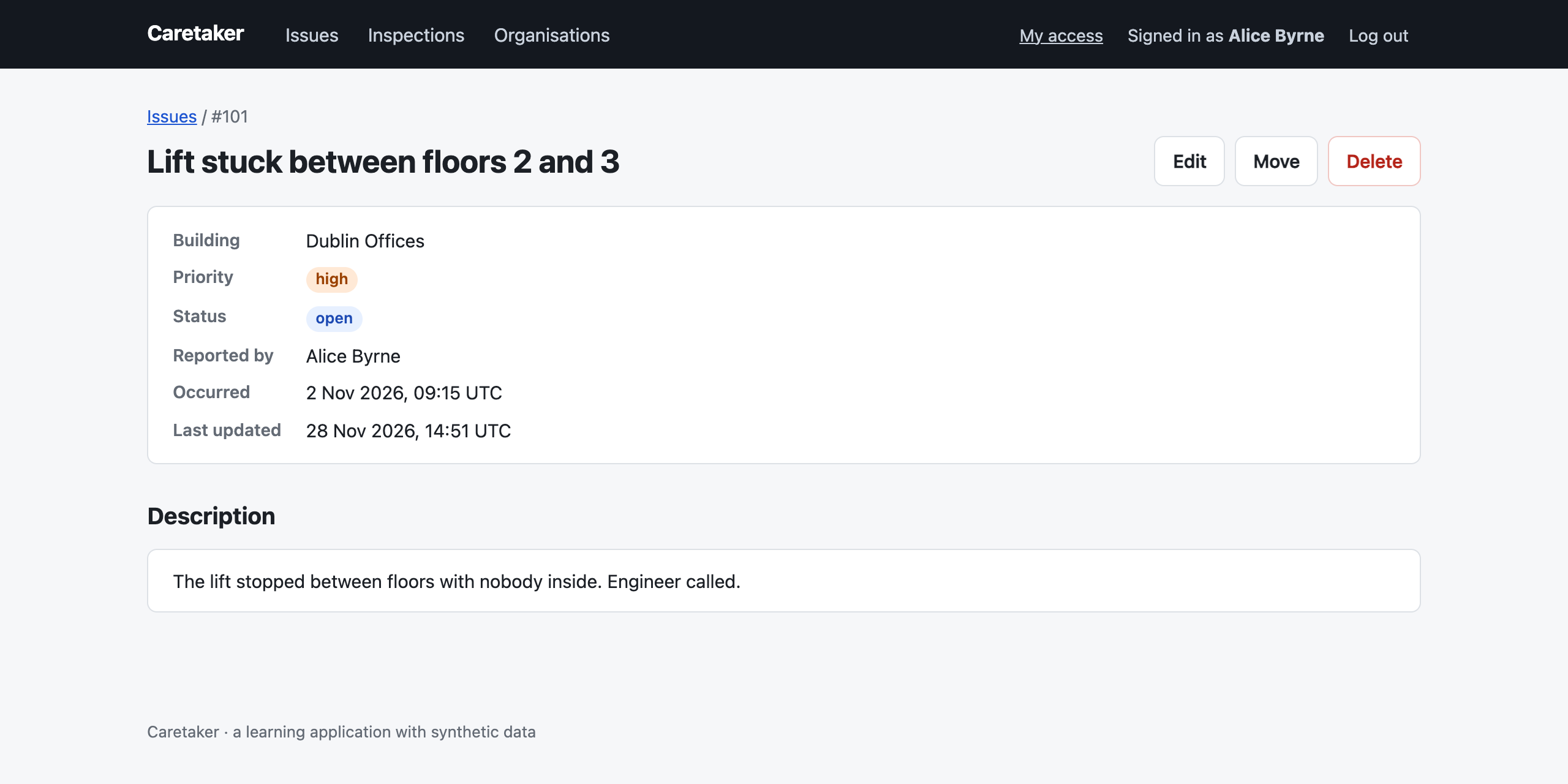
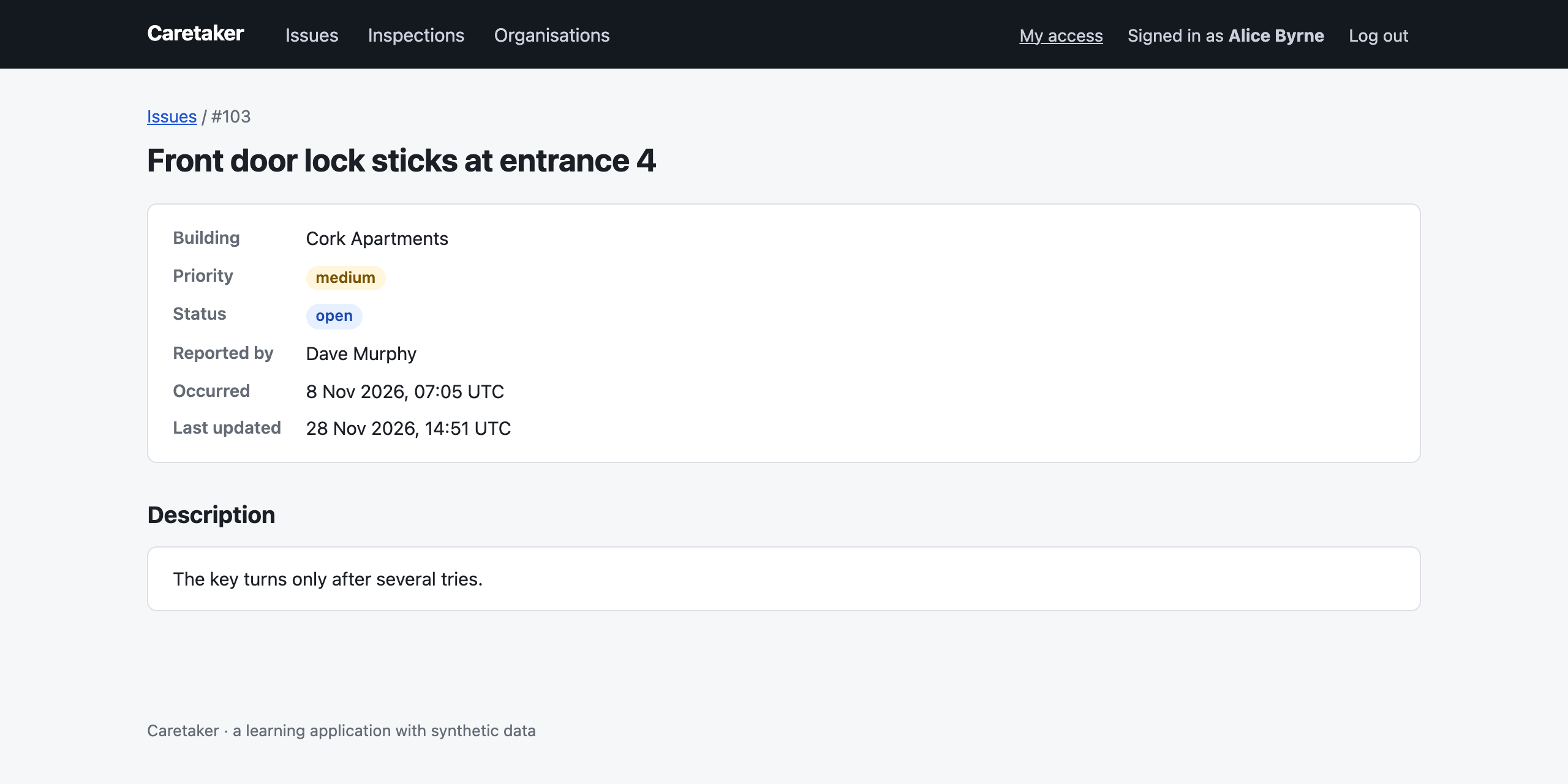
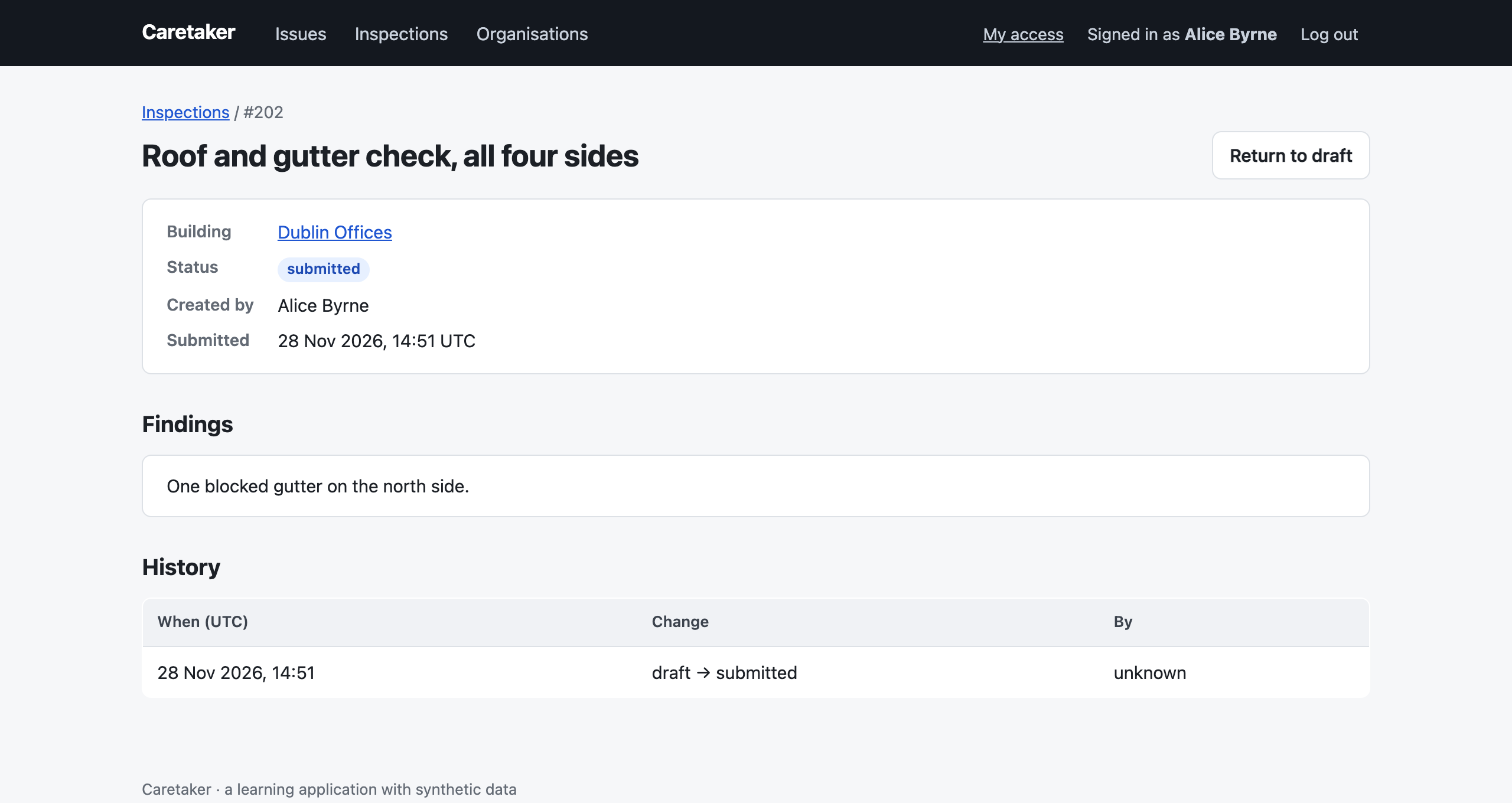
Bob: admin at building 30 in another company
Carol: organisation admin of Liffey
Dave: inspector at 10, reporter at 20
Nora: registered, no access
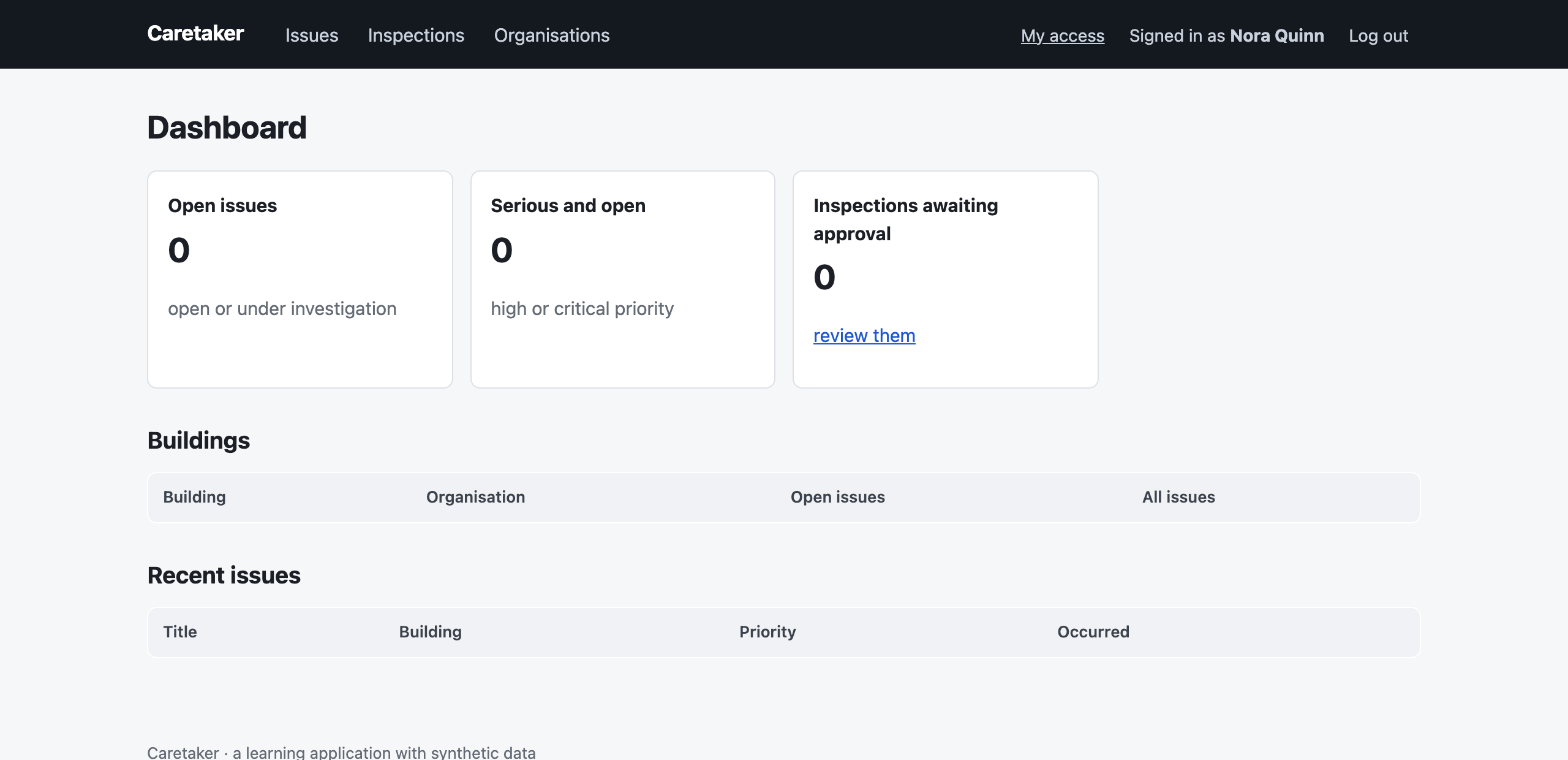
Run and inspect
Read the test report as a specification. Count the tests in each file:
for f in test/*.test.js; do printf "%-32s %s\n" "$(basename $f .test.js)" "$(grep -cE "^\s*test\(" $f)"; done
access-matrix 2
access 4
auth 5
authz-decisions 5
authz-service 4
building-access 5
buildings 6
csrf 4
dashboard 2
forged-input 4
hardening 3
inspections 6
isolation 5
issue-authz 8
issue-list 5
issue-moves 5
issues 11
list-parity 2
members 6
organisations 5
policies 2
rate-limit 1
require-login 7
resource-authz 8
tenant-isolation 2The access-matrix and tenant-isolation files show few test( calls because they generate tests in a loop: one test per matrix row, and one per attacker. Now the complete run:
npm test 2>&1 | grep -E "^ℹ (tests|pass|fail)"
ℹ tests 131
ℹ pass 131
ℹ fail 0What these 131 tests state, grouped:
| Group | Files | States that |
|---|---|---|
| Features | issues, issue-list, organisations, buildings, inspections, dashboard | CRUD, validation, paging, sorting, workflow, transactions work |
| Authentication | auth, require-login, csrf, rate-limit, hardening | identity is established and protected |
| Policies | policies, authz-decisions | the policy store is valid; allow, forbid, implicit deny and failure behave as designed |
| The matrix | access-matrix, issue-authz, resource-authz, access | each user gets the specified answer for each request |
| Isolation | isolation, list-parity, tenant-isolation, forged-input | no tenant sees or changes another's data, lists agree with Cedar, forged input changes nothing |
| Administration | members, building-access, issue-moves, authz-service | grants, revocation, moves and the decision service follow the rules |
Experiment
Reveal Answer
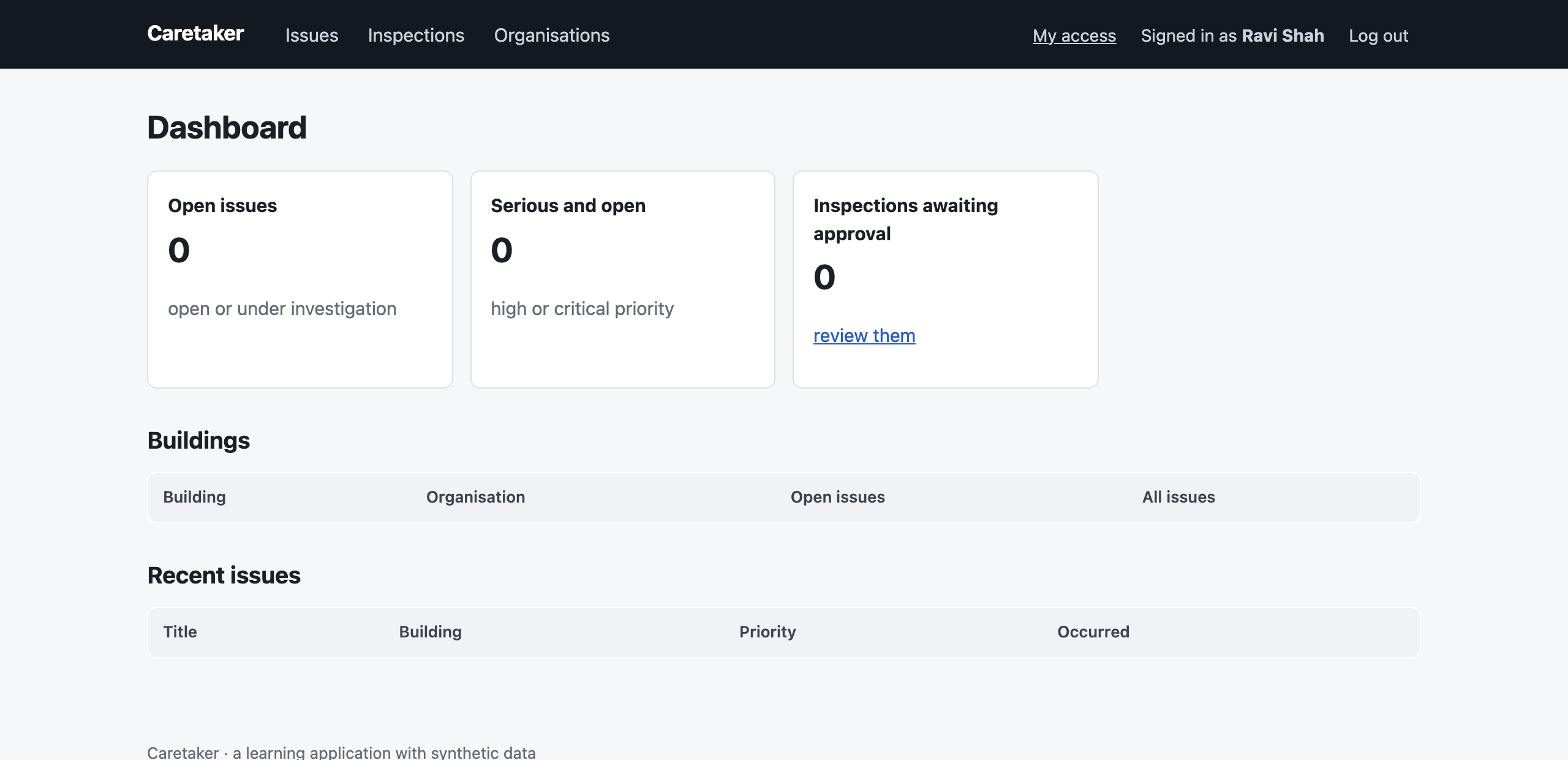
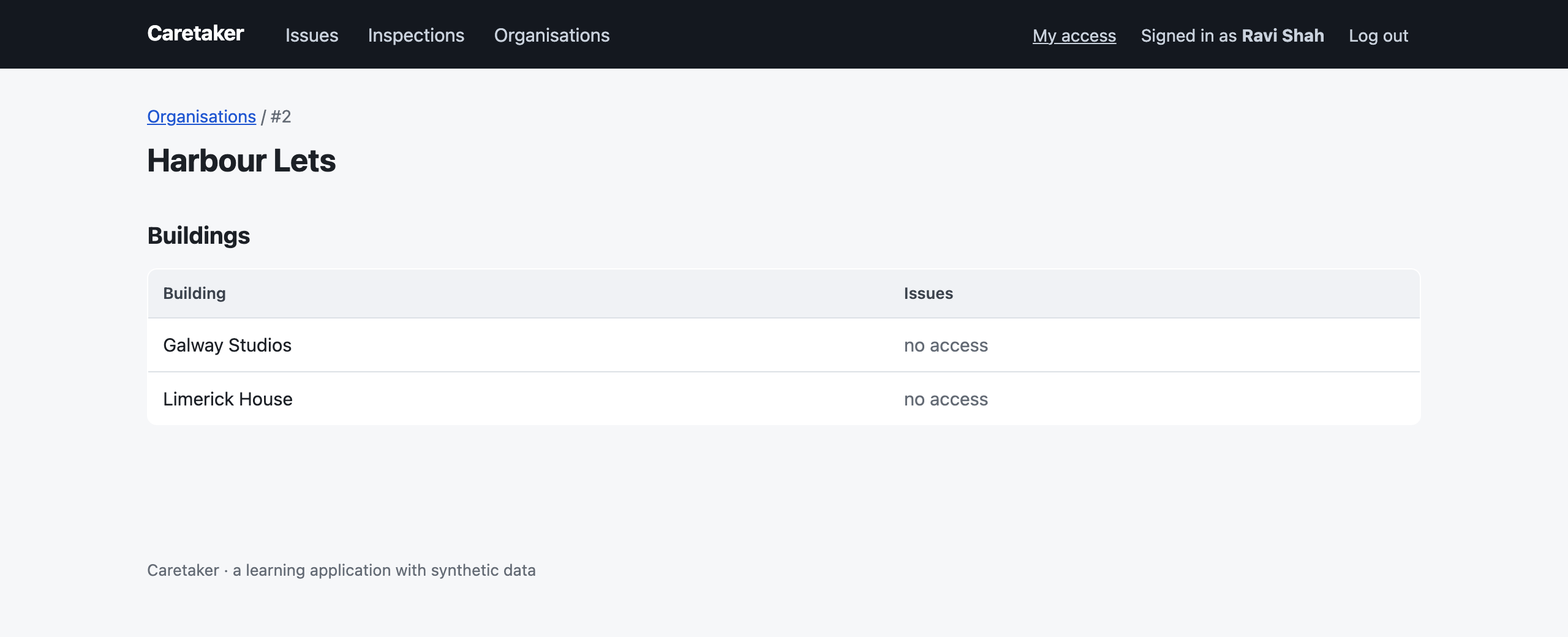
His dashboard is empty, like Nora's: no building is visible. But he still sees the organisation page, because his membership remains; only his building role was revoked. That is the design from lesson 5.1, and the screenshot is the matrix cell made visible.
Checkpoint
Nothing changed in the code. Confirm the tree is clean:
git status
On branch main
nothing to commit, working tree cleanRecap and next step
Each user sees exactly what the matrix says, and the test suite reads as a specification of features, authentication, policies, isolation and administration.
One question remains for the application you built: does it run from nothing, on a fresh checkout, with only the documented commands? Next lesson answers it, then looks at what production would need.
Open the checkpoint files for lesson 10.2 (separate page; only files from this lesson and earlier)